The Era of Self-Developing Apps
What if an app could start completely empty and evolve its own code over time? A Telegram bot, an Obsidian vault, and HAL walk into a bar — and build a self-extending system without a single database.


Last week I built an app that didn’t exist when I started. Not because I sat down and coded it — but because I talked it into existence through a Telegram chat.
No database. No API gateway. No Docker containers or CI/CD pipelines. Just a chat interface in my pocket, a local folder of markdown files, and an AI coding agent running on my Mac.
And I thought: “Wait. This is a fundamentally new kind of software.”
For twenty years, I’ve built software the classic way: draw architectural boxes, design relational schemas, write API layers, stitch together frontend components, and deploy to the cloud. You design it upfront, freeze it in a fixed architecture, and maintain it forever. Ops prays nothing catches fire on Friday night.
With local agentic systems, that mental model is turning inside out.
An app can start completely empty. And as you use it, you teach it its intended behavior over time — simply by conversing with it. Eventually, the app even writes its own code to make itself faster and cheaper.
Not through black magic. Through practical, robust building blocks:
- Telegram as the mobile interface in your pocket,
- HAL as the local nervous system bridging chat to your computer,
- Claude Code (or your favourite agent) as the reasoning runtime,
- A folder of markdown files as durable, human-inspectable persistence,
- and Obsidian as the visual lens.
In this model, an app is less a static monolith
and more a living, self-evolving workspace.
Sound crazy? Stick with me.
The Missing Bridge: Local Agents vs. Mobile Freedom
AI coding agents like Claude Code, GitHub Copilot CLI, Codex, and Antigravity are incredible. When you are sitting at your desk, they have full access to your local file system, your command line, and your development environment.
Except they are trapped in your terminal.
The second you step away from your desk — walking the dog, making an espresso in the kitchen, or riding the subway — your agent is unreachable.
You don’t want to spin up a fragile cloud VPS, expose public ports, sync secrets, and replicate your entire local toolchain in the cloud. You want the agent running locally on your Mac, with access to your local files, your privacy, and your machine’s power, while you steer it from your phone.
That is why I created HAL (@marcopeg/hal).
HAL turns Telegram into a secure mobile remote control for AI coding agents. It runs locally on your machine, listens to your private Telegram bot, spawns your local agent in a designated folder, and streams results back to your chat in real time.
No cloud lock-in. Full local disk access. Your machine, your keys, your files.
The Architecture: From Chat to Files
Here is the entire system architecture:
You (Telegram on iPhone)
    │
    ▼
HAL (Node.js daemon on Mac)
    │
    ├─► Built-in & Hot-Reloaded Commands (.hal/commands/*.mjs) ──► instant, 0 tokens
    └─► AI Coding Agent (Claude Code in project cwd) ─────────────► reasoning & self-evolution
          │
          ▼
    Local File System / Obsidian Vault
    (Markdown notes, plugin views, auto-generated scripts)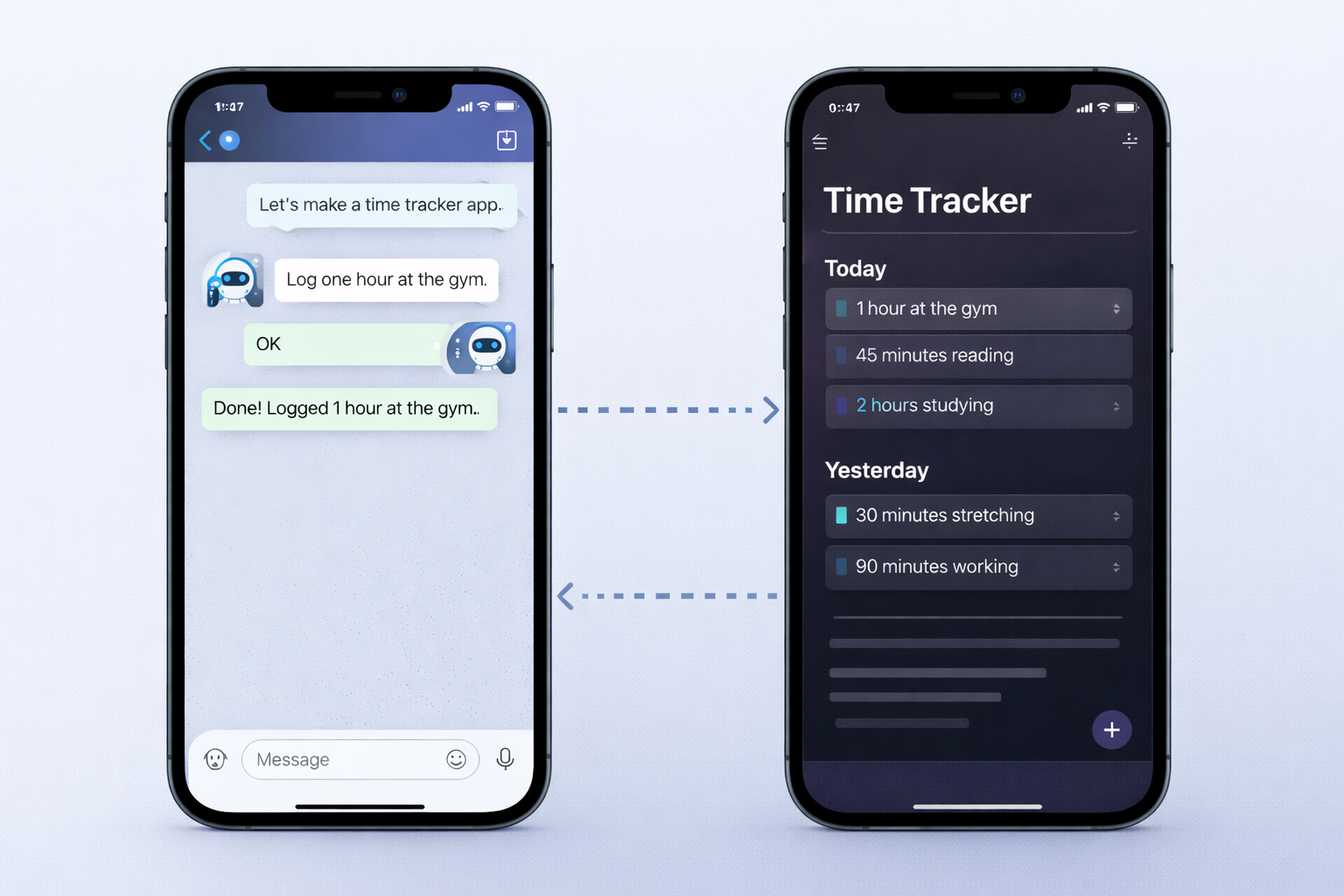
We are going to build a personal time tracker across five focused steps:
- Prepare the vault as our local database.
- Wire Telegram to our local agent using HAL.
- Establish the workspace contracts (
CLAUDE.md, skills, and commands). - Build the time tracker through natural dialogue.
- Scaffold an Obsidian UI and let the bot optimize itself with code.
Let’s dig in.
Step 1 — Prepare the Vault as Database
I know what you’re thinking: “A folder? As a database?”
Yes. And after decades of managing relational schemas, running database migrations, and fighting ORM impedance mismatches, it is utterly liberating.
Create a folder in your Obsidian vault (for example: ~/Documents/Obsidian/AgenticVault or inside iCloud Drive):
AgenticVault/
├── CLAUDE.md
└── Apps/
    └── TimeTracker/
        └── 2026/
            └── 02/
A few rules I follow religiously:
- Keep the layout boring and explicit. If a human — or a fresh AI session — cannot understand where a file belongs in three seconds, your hierarchy is too clever. Clever is the enemy of reliable agents.
- Use deterministic file naming.
YYYY-MM-DD.md. Always ISO dates. Nevertoday.mdornotes-latest.md. - Sandbox the bot. Configure HAL so the agent operates strictly inside this vault directory. Boundaries keep your desktop safe.
This gives you a local database that is
inspectable, portable, git-friendly, and sync-ready.
Dead simple.
Step 2 — Connect Telegram to Your Agent with HAL
Setting up Telegram-to-agent plumbing from scratch used to mean writing webhook servers, parsing streaming JSON, managing long-running processes, and dodging security holes.
HAL replaces all that yak-shaving with a single command:
# Run the interactive setup wizard:
npx @marcopeg/hal wiz
The wizard asks for:
- Your project folder (
cwd), - Your AI engine (
claude,copilot,codex,cursor, etc.), - Your Telegram bot token (from @BotFather),
- Your numeric Telegram user ID (so unauthorized strangers cannot execute commands on your Mac).
Under the hood, HAL generates a clean hal.config.yaml:
globals:
  engine:
    name: claude
  access:
    allowedUserIds: [123456789] # Your Telegram user ID

projects:
  vault:
    cwd: /Users/marcopeg/Documents/Obsidian/AgenticVault
    telegram:
      botToken: "${VAULT_BOT_TOKEN}"
Start HAL:
npx @marcopeg/halHAL boots up, connects to Telegram, spawns Claude Code inside AgenticVault, and waits for your messages.
The nervous system is connected.
Your local agent is now accessible from your phone.
Step 3 — Define the Contracts (CLAUDE.md, Skills, and Commands)
Before teaching the bot complex behaviors, you need clear contracts. This is where most agent experiments crash and burn: people leave instructions ambiguous, and then act surprised when the AI writes chaotic files.
HAL organizes behavior across three distinct layers:
1. CLAUDE.md — The Operating Manual
This is the instruction file that Claude Code reads on every single interaction. It sets the guardrails:
- How dates and times must be formatted (
YYYY-MM-DD, 24-hour clock). - Which folder structure to use for new apps (
Apps/<AppName>/). - Strict instructions to never mutate files outside the vault.
- Template structures for daily notes and logs.
2. Skills (.agents/skills/) — Reusable Agent Recipes
Skills are prompt-based capabilities following the open Agent Skills standard. Want a /plan command in Telegram? Create .agents/skills/plan/SKILL.md:
---
name: plan
description: Review pending tasks and help plan my focus blocks for today
telegram: true
---

Review the daily notes in Apps/TimeTracker/ for the last 3 days.
Identify incomplete tasks and suggest 3 high-leverage focus blocks for today.
Because telegram: true is set, HAL automatically registers /plan in your Telegram slash-command menu. When you tap it, HAL feeds the prompt to Claude Code.
3. Project Commands (.hal/commands/*.mjs) — Deterministic Speed
These are native JavaScript files loaded by HAL. When you send a command that matches a .mjs file, HAL runs the script directly without calling the LLM.
Skills tell the AI how to think.
Commands tell your machine how to act without calling the AI.
Remember this distinction. It becomes the superpower of our self-developing app in Step 5.
Step 4 — Build the Time Tracker Through Dialogue
Now open Telegram on your phone and talk to your bot:
You: "I'm setting up my time tracker. Create today's note for 2026-02-25
      under Apps/TimeTracker/2026/02/ with a Plan section,
      and log my first block: 09:00 to 11:30 Deep work on HAL command hot-reloading."
In Telegram, HAL streams the agent’s progress:
Claude Code: reading CLAUDE.md... creating 2026-02-25.md... appending log... done.
At the end of your day, send another quick message from the couch:
You: "Wrap up today. Add 14:00 to 15:30 client sync, calculate total focus time,
      and write a summary block."
The resulting note in your vault looks like this:
# 2026-02-25

## Plan
- [x] Deep work: HAL slash command hot-reloading
- [x] Client sync

## Logs
- 09:00 - 11:30 Deep work on HAL command hot-reloading (2.5h)
- 14:00 - 15:30 Client sync (1.5h)

## Summary
- Total Tracked: 4.0h
- Deep Work: 2.5h
- Focus Score: 8/10
Now switch to Obsidian on your Mac or iPhone. The note is already there.
No database client. No SQL queries. You can open it, fix a typo by hand, check off a task, or close it. You and the agent share the exact same source of truth: plain text files on disk.
You didn’t write an app. You coached an app into existence.
Step 5 — Add Presentation: The Bot Scaffolds an Obsidian UI
Text logs in markdown are great for storage, but humans like visual dashboards.
In traditional software, this is where you’d spend two weeks configuring Webpack, building a React frontend, and deploying it.
Instead, I sent this message in Telegram while drinking my afternoon tea:
You: "I want a clean visual view of my tracked time inside Obsidian.
      Inspect the markdown notes in Apps/TimeTracker/ and scaffold a lightweight
      Obsidian plugin in .obsidian/plugins/time-tracker/ that renders
      a sidebar panel with daily totals and progress bars."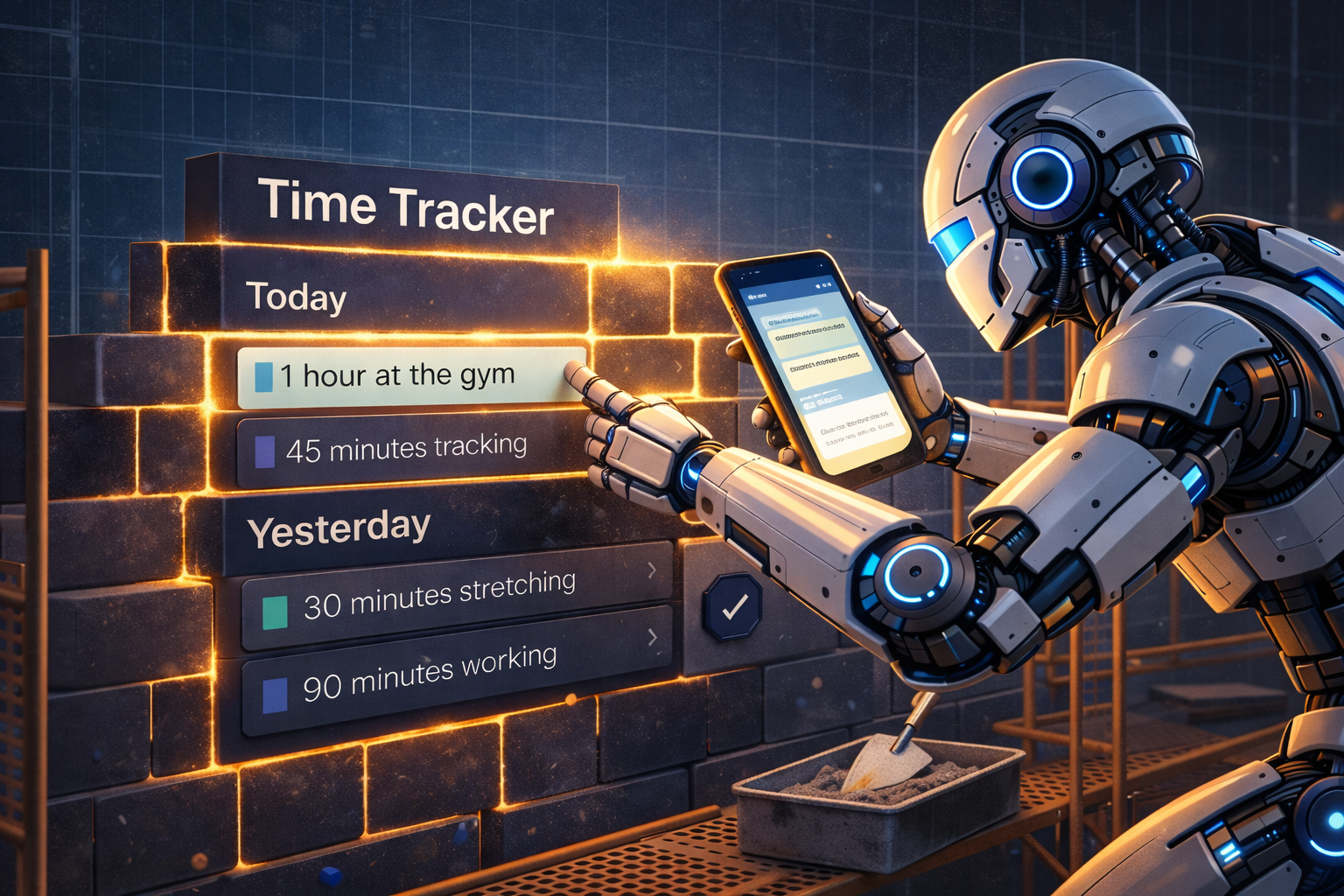
Claude Code has access to the workspace shell. It created the plugin folder, wrote main.js and manifest.json, used the Obsidian API to register a custom leaf view, and read the daily notes to calculate hours.
Reload Obsidian (just ensure Community Plugins is enabled in Settings so it picks up local folders), and the custom sidebar panel appears.
The division of labor is clean and elegant:
- Telegram is for fast input and control while you’re on the move.
- The Agent handles the file operations and code generation.
- Obsidian renders the data and provides the desktop visual UI.
Step 6 — The Breakthrough: The Bot Writes Code to Optimize Itself
And now we reach the centerpiece of self-developing software.
At this point, you’re logging tasks, generating daily summaries, and viewing charts. It feels like pure magic.
Until you look at your token counter.

Every time you type Log 14:00 to 15:30 client call, Claude Code wakes up, loads the project context, parses your text, opens the file, and commits the change.
That takes 3 to 5 seconds and consumes 2,000 to 4,000 tokens every single time.
Doing that 10 times a day means burning 30,000+ tokens just to do basic string concatenation! That is slow, wasteful, and expensive.
The Self-Developing Solution
Here is what you tell your bot in Telegram:
You: "Claude, logging time through LLM reasoning is wasting tokens.
      Write a custom HAL project command in .hal/commands/log.mjs.
      It should accept arguments like '/log 09:00-11:00 deep work',
      parse the time range, append the entry directly to today's file in
      Apps/TimeTracker/, and return a clean confirmation message."
Claude Code goes to work. It writes .hal/commands/log.mjs:
import fs from "fs";
import path from "path";

export const description = "Quickly log time: /log 09:00-11:00 task description";
export const showInMenu = true;

export default async function handler({ args, projectCtx }) {
  if (args.length < 2) {
    return {
      type: "assistant",
      message: "Usage: `/log 09:00-11:00 <description>`",
    };
  }

  const [timeRange, ...descParts] = args;
  const description = descParts.join(" ");

  // Compute today's path: Apps/TimeTracker/YYYY/MM/YYYY-MM-DD.md
  const now = new Date();
  const year = String(now.getFullYear());
  const month = String(now.getMonth() + 1).padStart(2, "0");
  const day = String(now.getDate()).padStart(2, "0");
  const dateStr = `${year}-${month}-${day}`;

  const dir = path.join(projectCtx.config.cwd, "Apps", "TimeTracker", year, month);
  const filePath = path.join(dir, `${dateStr}.md`);

  fs.mkdirSync(dir, { recursive: true });

  const entry = `- ${timeRange} ${description}\n`;
  if (!fs.existsSync(filePath)) {
    fs.writeFileSync(filePath, `# ${dateStr}\n\n## Logs\n${entry}`);
  } else {
    fs.appendFileSync(filePath, entry);
  }

  return {
    type: "assistant",
    message: `⏱️ Logged to ${dateStr}: **${timeRange}** ${description}`,
  };
}
Now here is the beauty of HAL:
HAL hot-reloads project commands in real time. You don’t restart the bot. You don’t redeploy anything.
The moment Claude Code saves log.mjs, HAL detects it. You open Telegram and type:
/log 14:00-15:30 Refactoring auth moduleHAL intercepts /log. It does not call Claude Code. It executes the JavaScript handler directly.
- Execution time: 12 milliseconds.
- Token consumption: Zero.
- Cost: $0.00.
Think about what just happened:
The AI agent wrote a piece of deterministic code to replace itself
on a high-frequency, low-complexity routine.
Notice the architectural trade-off:
When talking to the AI in natural language, you can be fuzzy ("Log: 09:00 to 11:30 Deep work"). The deterministic script requires a clean, structured syntax (/log 09:00-11:00 task). But in return, you get near-instant execution and zero token cost.
When you need high-level intelligence (“Analyze my focus trends over the past two weeks and spot where my afternoons collapse”), you chat in natural language and Claude Code handles the deep reasoning.
When you just need to log a time slot, HAL’s hot-reloaded command runs in milliseconds.
And when you want scheduled routines? You tell the agent: “Set up a daily cron in .hal/crons/ to ping me at 18:00 every weekday with my total hours.” The agent writes the cron, and HAL schedules it automatically.
That is the definition of a self-developing app.
The Elephant in the Room: Data Architecture Still Matters
Even in a world where you talk apps into existence, software engineering fundamentals do not disappear.
If anything, data architecture matters more.
Let me show you the trap that catches almost everyone who attempts this:
The Naive Approach: One Big File
Imagine storing all time logs in a single file called time-log.md.
After six months, that file is 5,000 lines long. Every time you ask the bot “What did I do yesterday?”, the agent must:
- Slurp all 5,000 lines into its context window,
- Scan through months of irrelevant text,
- Hope it doesn’t suffer from attention degradation,
- Formulate an answer.
That’s 40,000 tokens burned on a two-second question. You pay more, wait longer, and get worse answers.
The Engineered Approach: Hierarchical Partitioning
Now look at our folder structure:
Apps/TimeTracker/
    2026/
        01/
            2026-01-15.md
        02/
            2026-02-24.md
            2026-02-25.md
When you ask “What did I do yesterday?”, the agent:
- Calculates yesterday’s date (
2026-02-24), - Reads one 400-byte file,
- Responds instantly using 200 tokens.
The folder structure is your partition key.
Deterministic filenames are your indexing strategy.
You don’t need to write SQL. But you damn well need to think like an architect.
Guardrails: Staying in Control
Letting an agent write files and code on your machine sounds adventurous. It is — if you don’t establish boundaries.
Here is what keeps this architecture bulletproof:
- Plain text over opaque blobs: Markdown files can be opened, audited, and edited by hand at any second. If the bot messes up a calculation, you fix the text file in Obsidian.
- Access control with HAL: HAL’s
allowedUserIdswhitelist ensures only your Telegram account can send commands. Random internet bots cannot talk to your machine. - Local isolation: The agent runs in a sandboxed working directory (
cwd). It has no business touching your root filesystem. - Git as the safety net: Initialize a git repo inside the vault. Every evening (or via an automated HAL cron), commit the state. If anything goes sideways,
git diffshows every mutation, andgit revertundoes it in one stroke.
The Shift
We spent forty years believing that software had to be designed upfront by architects, coded by engineers, compiled into binaries, and deployed onto servers.
With tools like HAL, Claude Code, and local markdown vaults, that equation changes.
An app can start as a casual conversation. It can learn your workflows note by note. And when routine tasks become repetitive, it can write its own code to make itself faster, cheaper, and more reliable.
Software is no longer just something you build.
It is something you cultivate.
Give it a spin:
- Grab HAL on GitHub (
npx @marcopeg/hal wiz). - Point it at an empty vault folder.
- Send your first message from Telegram.
What kind of app will you teach yours to become?